The Cross Stitch Fabric Calculator converts your pattern’s stitch count into finished design dimensions and the fabric cut size, including your chosen border allowance. Use it for Aida, linen or evenweave, or check a piece of cloth you already own.
Home & Craft needlework planner
Plan cross stitch fabric from the chart, not a guessed finished size
Convert stitch count and fabric count into the stitched design size, add the margin you actually want, or check whether a fabric piece you already own leaves enough room around the design.
Calculation breakdown
Fabric count can vary slightly in real cloth, especially some linen/evenweave and dyed fabrics. If exact finishing clearance matters, measure the actual fabric count and confirm the cut plan before trimming.
Find What Can Fit on Your Fabric
Select Check a fabric piece above and enter its dimensions, minimum margin, fabric count and stitch-over setting. This check rounds capacity down to complete cross-stitch positions and calculates the minimum whole-number fabric count needed for your current chart.
Capacity is a rectangular grid, not an estimate of filled stitches or floss use. The count assumes the same measured density in both directions and your chosen stitch-over setting. Rotation turns the fabric piece relative to the chart; confirm that the fabric and pattern allow it. Counts above 200 are outside this tool’s input range. Allow extra practical clearance if the measured cloth count varies.
Compare Fabric Counts for Your Chart
Use your current pattern dimensions with common Aida counts and explicit over-two settings. In Size fabric mode, comparison uses your uniform or custom margins. In Check a fabric piece mode, it uses your minimum margin and permitted rotation. Your original inputs stay unchanged.
How to use the Cross Stitch Fabric Calculator
- Enter Pattern stitches wide and Pattern stitches high from the chart. Count the complete design grid, including any stitched border; printed page dimensions are not stitch dimensions.
- Enter the fabric count per inch and choose Stitch over. Over one and over two describe how many fabric threads or squares each cross spans, not the number of floss strands in your needle.
- Choose inches or centimeters for physical measurements. In Size fabric, enter a uniform margin or select Custom sides for separate left, right, top and bottom allowances.
- Select Calculate fabric for design size, fabric to cut and design-center coordinates. Use Compare fabric counts below for the same chart on alternative densities.
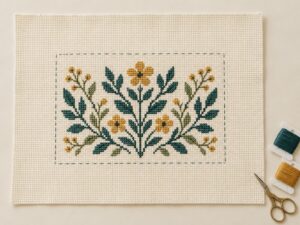
For Check a fabric piece, enter the cloth dimensions and minimum margin instead. Rotation is optional. The Cross Stitch Fabric Calculator separates “design fits” from “requested margin met,” so a positive clearance does not automatically mean the piece is suitable for your finishing plan.
Worked example: a 180 × 140 stitch chart
Choose 14-count Aida, over one, and a 3-inch margin per side. The Cross Stitch Fabric Calculator gives these nominal planning dimensions:
| Result | Inches | Centimeters |
|---|---|---|
| Stitched design | 12.8571 × 10 | 32.6571 × 25.4 |
| Fabric including margins | 18.8571 × 16 | 47.8971 × 40.64 |
| Design center from left/top | 9.4286 / 8 | 23.9486 / 20.32 |
The cross stitch fabric size formula
Effective stitches per inch = fabric count ÷ stitch-over value. Divide chart width and height by that effective density. Add left plus right margins to the design width, and top plus bottom margins to its height.
For this example, width is 180 ÷ 14 = 12.857142… inches. The cut width is that unrounded value plus 3 + 3 inches. Round dimensions only for display, and round a shopping or cutting measurement upward when necessary; never trim to a rounded-down minimum.
Turn the minimum into a practical fabric cut size
In Compare fabric counts, choose the cutting increment your ruler or supplier uses. The Cross Stitch Fabric Calculator rounds both minimum dimensions upward without changing your chart or margins. For the example above, 0.5-inch increments give 19 × 16 inches; 1-centimeter increments give 48 × 41 centimeters. These are different cutting choices, rather than exact unit conversions of one cut.
A dimension already on the chosen increment stays unchanged. Add the full border allowance for finishing first; rounding alone does not reserve more fabric for framing or compensate for shrinkage. When checking cloth you own, read both fit checks: the exact minimum may fit even when the rounded shopping size does not. Measure usable cloth rather than including a damaged edge or selvage.
Compare Aida, linen and evenweave counts
The Cross Stitch Fabric Calculator keeps fabric count and stitch-over separate. On 14-count Aida over one, density is 14 stitches per inch. On 28-count evenweave over two, density is also 14, so the same chart has the same nominal size. On 28-count fabric over one, each dimension is half as large.
The comparison table uses your current chart and margins, shows both inches and centimeters, and labels the stitch-over assumption for every row. A higher count makes the design smaller; it does not remove stitches from the pattern. These are size comparisons, not recommendations about needle size, floss coverage or eyesight.
DMC's cross stitch fabric guide explains Aida count as stitches per inch and over-two stitching as spanning two warp and two weft threads. Check your fabric label and pattern instructions before choosing the settings.
Check margins, centering and a fabric piece you own
For a 12 × 8-inch design with left/right margins of 4/2 inches and top/bottom margins of 3/5 inches, cut 18 × 16 inches. Its design center is 10 inches from the left and 7 from the top. The geometric cloth center is different: 9 and 8 inches.
In existing-piece mode, the Cross Stitch Fabric Calculator checks centered horizontal and vertical clearance. A 12 × 8-inch design on 10 × 16-inch cloth is too wide as entered. If rotation is permitted, 16 × 10-inch cloth leaves 2-inch horizontal and 1-inch vertical margins. It fits the design, but fails a requested 3-inch minimum.
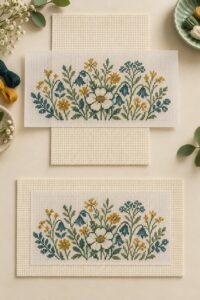
Negative clearance means the stitched rectangle extends beyond an edge. Zero clearance means it reaches the edge, leaving no finishing allowance. Allow rotation only when the actual fabric and intended finish permit it; this tool does not inspect woven direction, printed motifs or distortion.
Find whole-stitch capacity before buying another piece
Use the Cross Stitch Fabric Calculator capacity check after entering an existing piece. It subtracts reserved margins, then rounds usable stitch positions down to whole numbers. For 20 × 16-inch fabric with 3-inch margins, 14-count over one allows 196 × 140 stitch positions; 28-count over two gives the same capacity.
The minimum-count result reverses that calculation and rounds the required nominal count upward. It is a mathematical threshold, not confirmation that a suitable fabric is sold at that count. Capacity covers a rectangular chart grid, not the number of filled crosses or the amount of embroidery thread required.
Cross Stitch Fabric Calculator questions
Does selecting centimeters change the fabric count?
The Cross Stitch Fabric Calculator keeps fabric count per inch. Only physical dimensions and margins change units: one inch is exactly 2.54 centimeters. Enter a 3-inch border as 7.62 centimeters, not as 3 centimeters.
How much border allowance should I use?
Choose enough for your hoop, Q-snap, lacing, framing or sewing finish. The 3-inch example is an adjustable planning allowance, not a universal requirement. Ask the framer or follow the finishing instructions before cutting.
Can the Cross Stitch Fabric Calculator measure my actual cloth count?
No. Measure your cloth and enter its count; the tool cannot inspect the fabric. The calculation assumes one fabric density in both directions. Nominal count, actual cloth count, washing and stretching may differ. Measure the piece you will use when clearance is tight. The tool does not predict shrinkage or compensate for different horizontal and vertical densities.
Can I use this to estimate blanket yarn?
No. Counted-fabric sizing and yarn consumption use different inputs. For that project, the Crochet Blanket Yarn Calculator scales yarn from a measured swatch or reference blanket. Our calculation standards explain how methods and verification limits are documented.